Password Reset

Password Reset

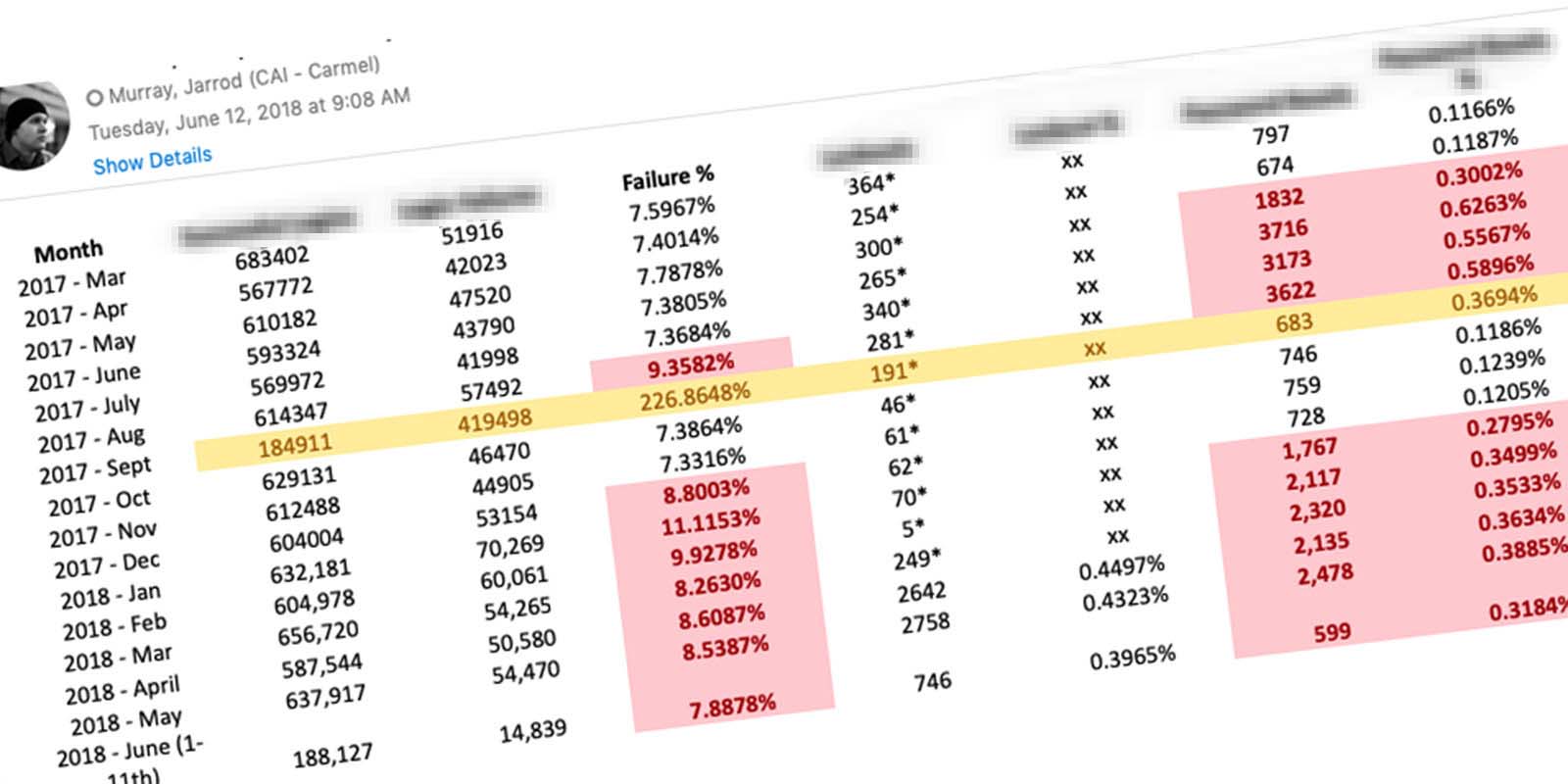
A new auth provider was supposed to be a quiet backend swap… instead, login failures jumped from 9.3% to 226.9%, and the deeper I dug, the less it looked like a login problem at all.

Role:
Researcher
Dates:
2018
Client:
NextGear Capital

The Challenge

In September 2017, NextGear Capital’s customer-facing application changed authentication providers. It was supposed to be a routine update with minimal impact on users. Three months later, Customer Support was receiving three times as many password-related tickets, lockouts were climbing, and users had no way to unlock themselves. Support did the math: every password reset cost the company $7.84.

keyboard_arrow_up

Smaller Than It Looked, Bigger Than It Was

When this landed on my desk it looked like a login screen problem, the kind of thing a few error message updates might solve. The first thing I did was resist that assumption. I started by researching how credentials worked across the entire system, where they originated, how users received them, and what the full scope of failure looked like. The more I dug, the less this resembled a UI fix and the more it looked like a workflow problem hiding behind one.

Login failure rate chart
Login failure rate jumped from 9.3% to 226.9% in September 2017

The Hypothesis

By allowing users to self-service from the login screen, the number of calls and emails to Support would decrease significantly. That was the starting bet. Proving it meant understanding why so many users were getting locked out in the first place, and the answer to that wasn’t going to come from the login screen alone.

Tracing the Origin

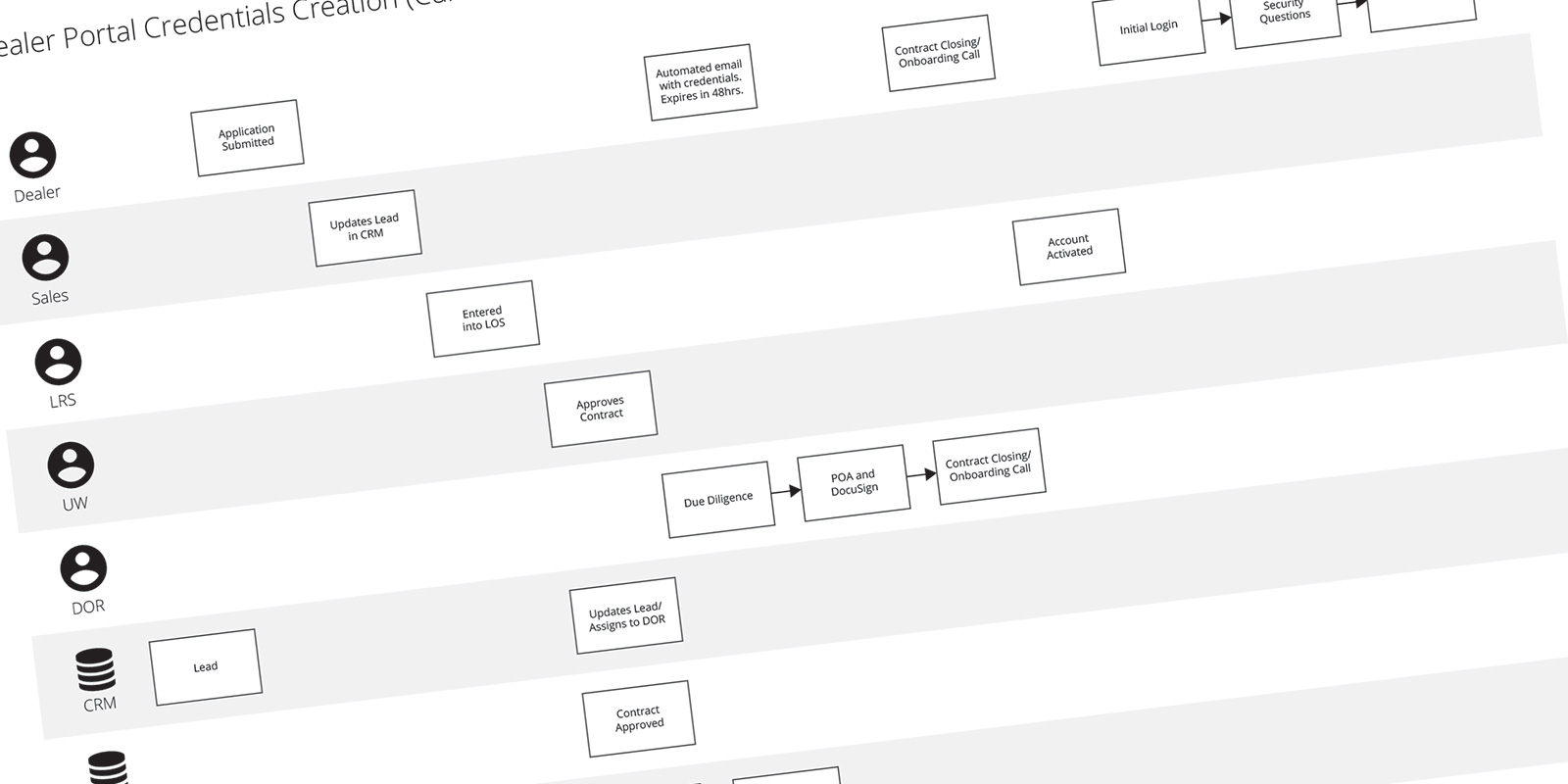
A January 2017 study found that 39% of Americans have a hard time keeping track of their online passwords. That statistic wasn’t surprising, but what I found next was. I mapped the full credential pipeline from application submission to initial login and discovered it takes five departments and three applications to turn an applicant into a user.

The credential pipeline
It takes five departments and three applications to turn an applicant into a user

Where It Breaks Down

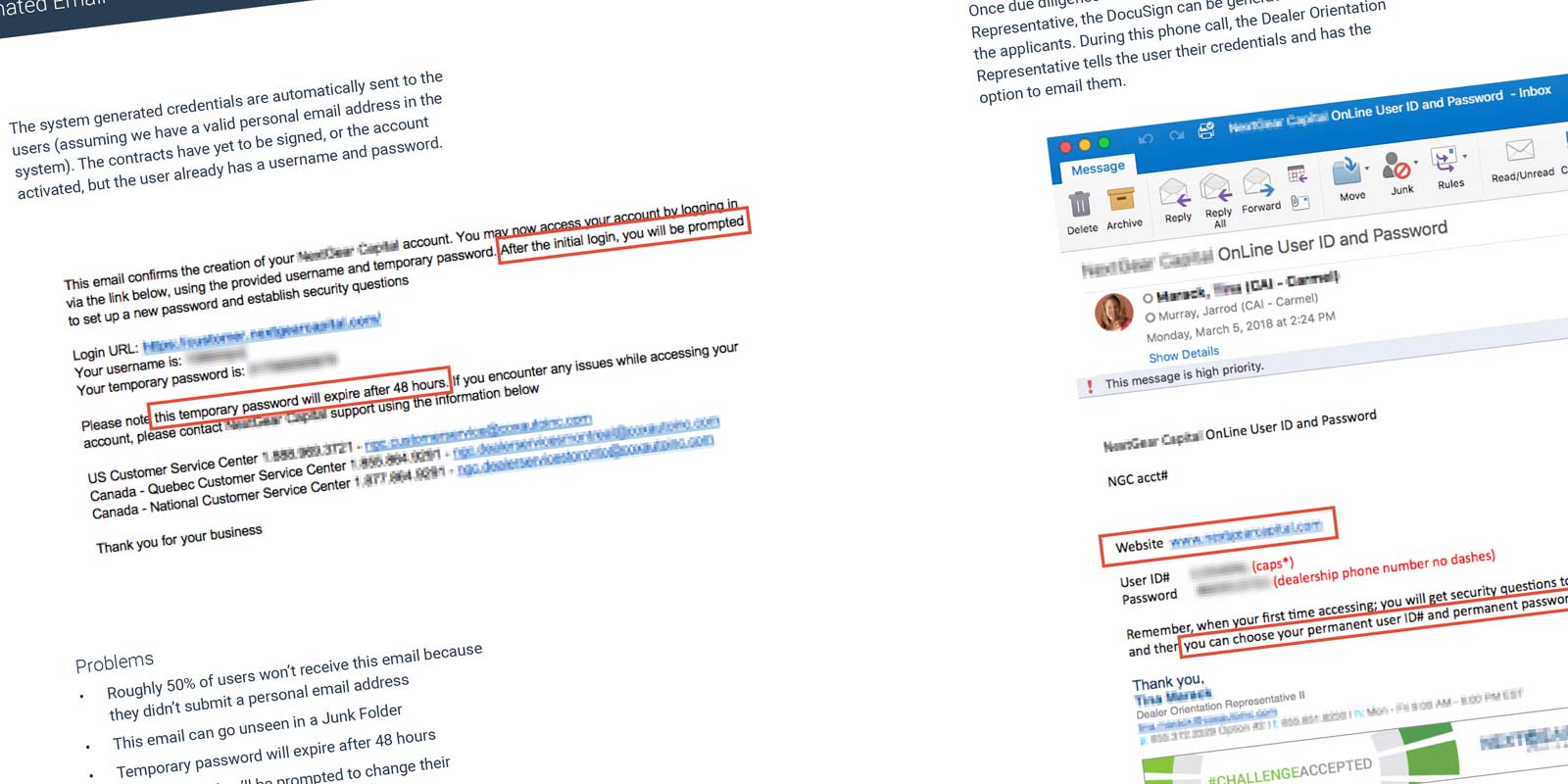
The research surfaced failure points at every stage. Roughly 50% of credit applications were submitted without a personal email address because the field wasn’t required and its purpose wasn’t explained. Without it, the system had nowhere to send credentials. For users who did provide one, the automated email could land in junk, the temporary password expired after 48 hours, and the email told users they’d be prompted to change their password on first login, which wasn’t true.

During onboarding, Dealer Orientation Representatives were reading credentials over the phone and directing users to the marketing site instead of the portal. On first login, users were asked to set security questions but never prompted to choose a permanent username or password. The system-generated password was the business phone number from the contract, assuming users would know both which number was used and that it was their password.

The Validation and Error Problem

Even users who cleared all of that hit a broken update experience. The profile edit screen displayed the system-generated password as empty. The form looked like a prompt to enter a new password rather than change one. Validation rules were hidden behind a hover, useless on mobile. Users had to submit to discover errors. And the login screen’s error message referenced a “Forgot your username or password?” link that didn’t exist, while making the phone numbers look like the preferred resolution path.

The Problem Statement

After mapping every failure point, I compiled the findings into an 11-page problem statement covering the issues, the goal, and the cost of ignoring them. One stakeholder told me it was the best document he had ever seen.

The Problem Statement Document

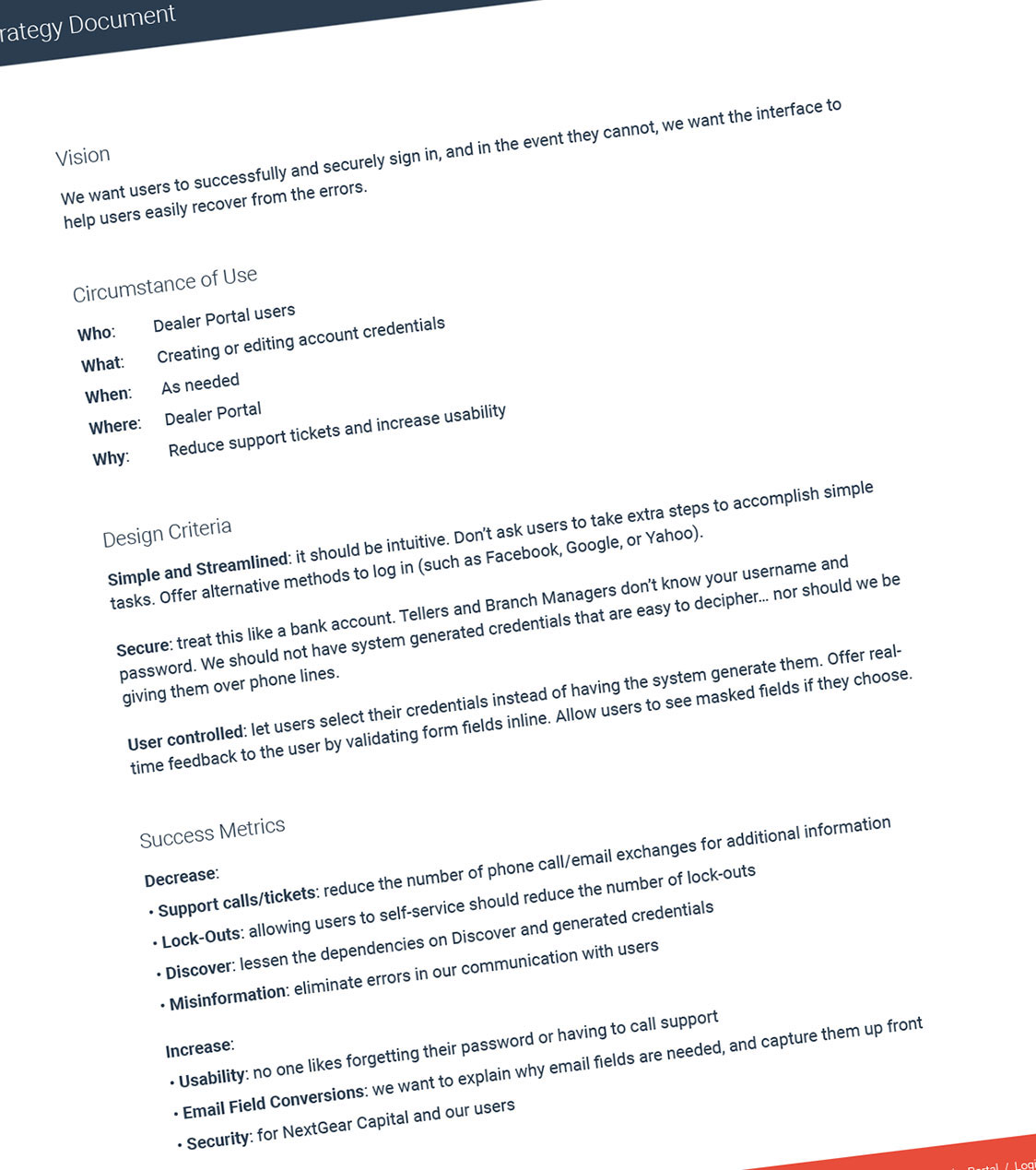
The Strategy Document

The problem statement led directly into a strategy document outlining the phased approach and the upstream backend fixes required before self-service could work: making the personal email field required, prompting permanent credentials on first login, fixing error messaging, and expanding password reset access beyond supervisors.

The Strategy Document

Working Within the System

The application was built on AngularJS and Bootstrap, with React being phased in. Rather than fight the existing framework, I designed using default Bootstrap elements and existing styles. The goal was a solution that felt native to what was already there, not a redesign that would create new implementation overhead.

The Login Screen

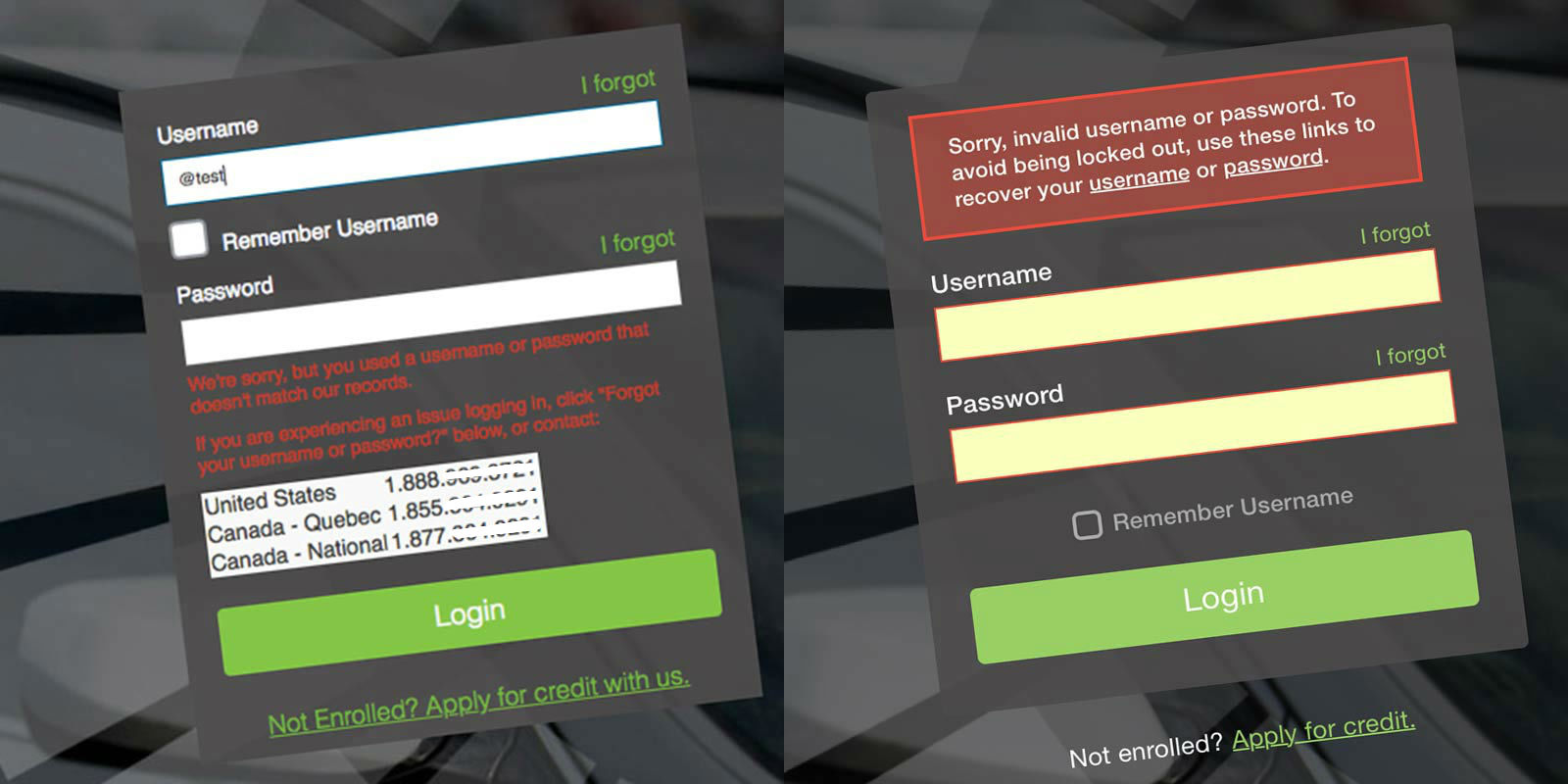
The most visible starting point was the login form itself. I removed the phone numbers, which were actively pointing users toward Support instead of self-service. I improved the error messaging to be accurate and actionable. And I decluttered the form by moving the “Remember Username” and “Apply for Credit” elements to more appropriate locations.

Before and after login screen
On the left is the original login screen, on the right is my redesign

The Self-Service Screens

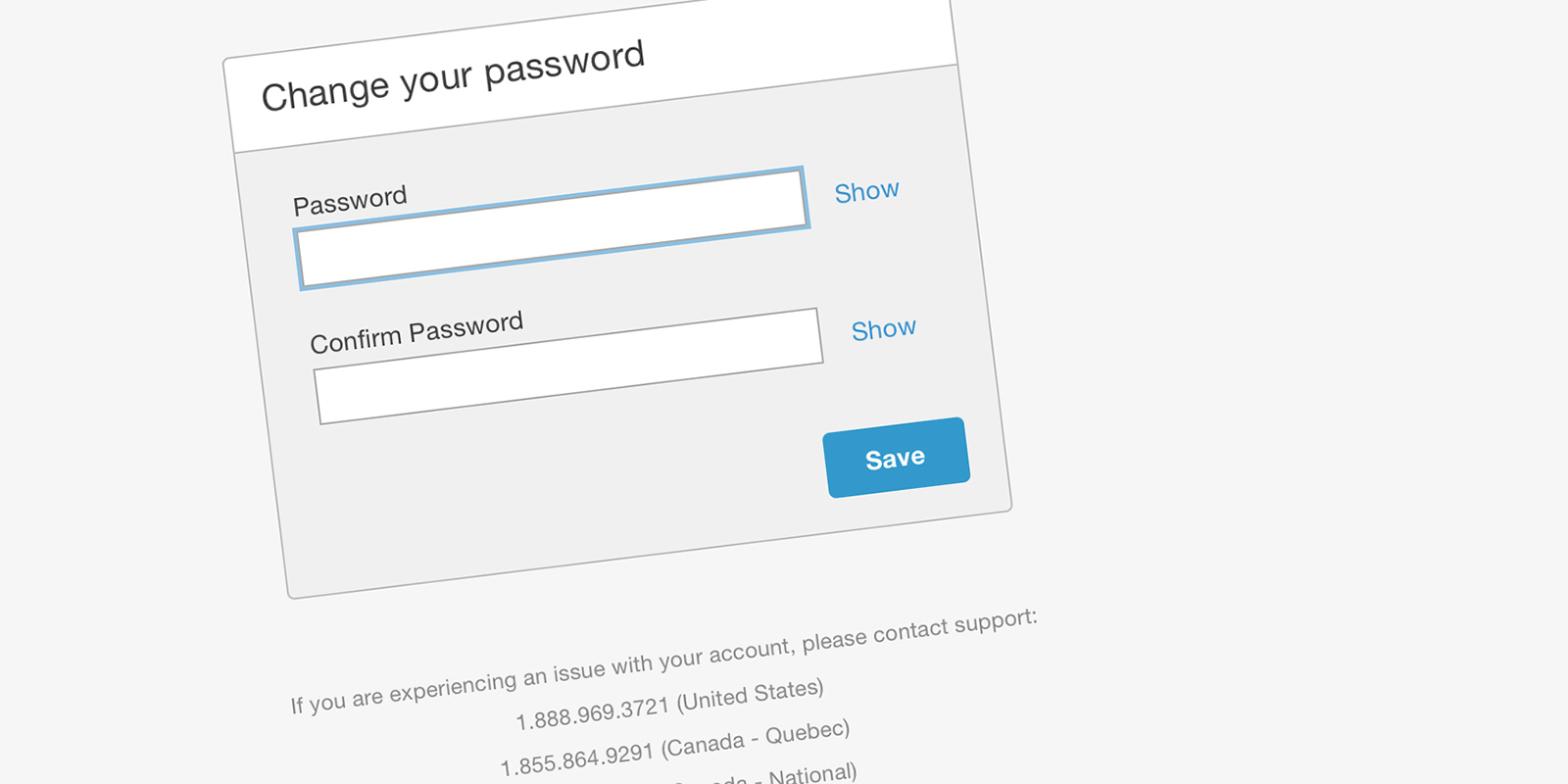
The password reset and username recovery screens were designed using default Bootstrap elements. The form included inline validation so users could see errors before submitting, a password visibility toggle to reduce typos and build trust, and phone numbers listed below as a fallback rather than the primary resolution path.

A simple password reset form

The Prototype

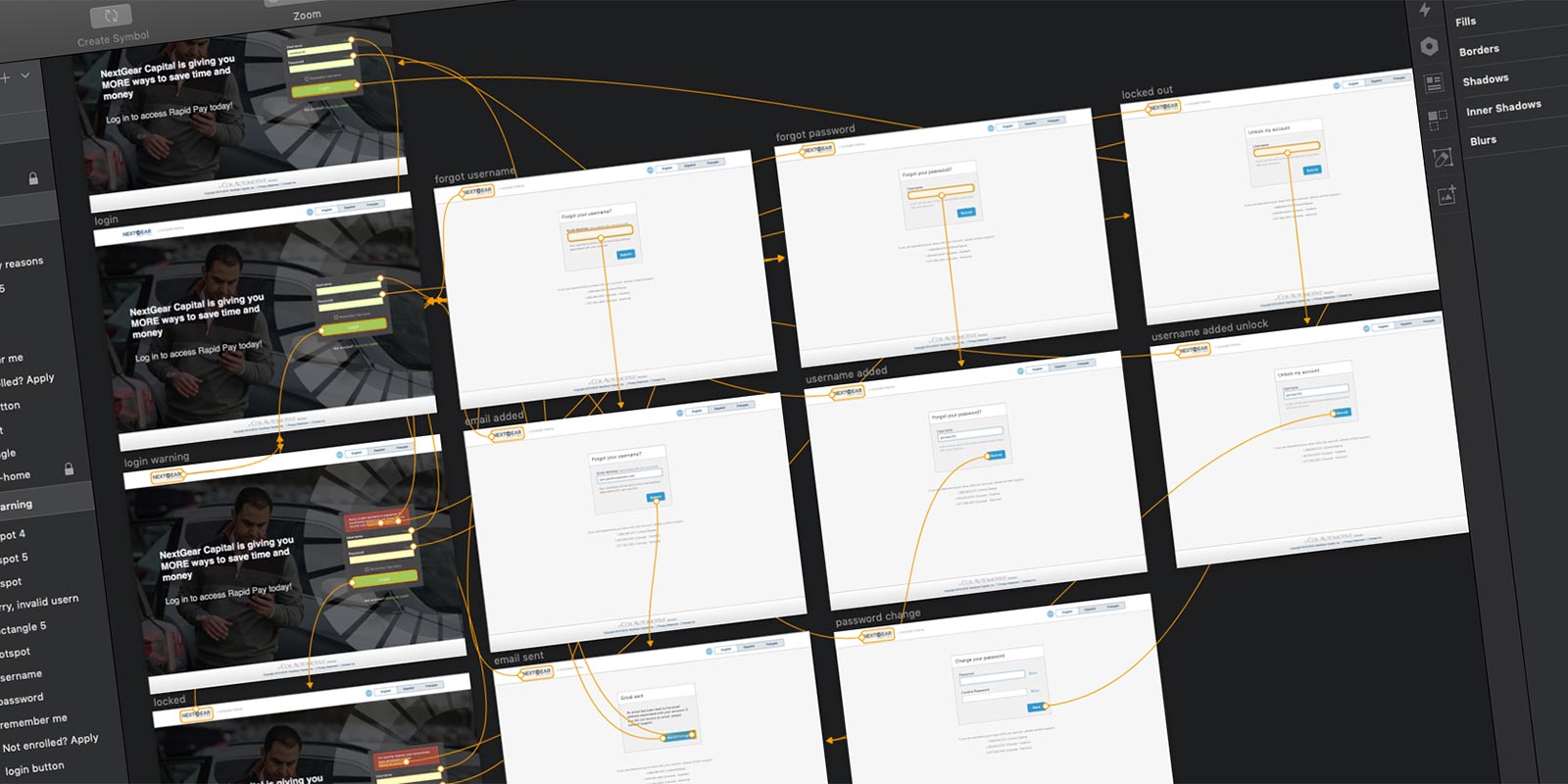
My next step was building the full self-service workflows into a high-fidelity prototype. A prototype is worth a thousand meetings. It drove story-writing, grooming, and sprint planning in a way that static screens couldn’t. The team could walk through the exact flows rather than interpret them.

The self-service workflows

A Phased Release

The team opted for a multi-phase approach. Backend changes came first: personal email made required on the credit application, password reset access expanded from supervisors to all Support Representatives, and credential emails updated to be accurate and actionable. The interface changes followed, launching in November 2018 with username recovery, and completing in January 2019 with the full self-service password reset flow.

The Numbers

At peak, Support was processing 1,983 manual account unlocks in a single month. In the first month after the self-service release, that number dropped to 31.

Auth changed Sep ’17… my Discovery started Feb ’18

The Support Team unlocked 1,983 accounts at the peak of this issue. In the first month after release, only 31 accounts were unlocked by the Support Team. By reducing the unlocks (-1,952) performed by Support, that equates to a savings of $15,303.68 per month.

More Case Studies